

How to Use an Orbital Sander (The Way Professionals Actually Do)
Quick Answer — How Pros Use an Orbital Sander
A random‑orbit sander looks simple — pull the trigger and start moving — but the pad is doing far more under the surface than most people realize. Professionals keep the tool level, use almost no pressure, and move in slow overlapping passes because the pad removes stock unevenly. The edges cut faster than the center, and any tilt exaggerates that effect. Add wood’s natural density changes and an orbital can take a flat surface out of level in seconds. The pro workflow is about control: keep the pad clean, keep the pressure light, and stop the moment the surface is flat.
Keep the pad perfectly level
Use light pressure
Move in steady overlapping passes
Stop as soon as the surface is flat
Use dust extraction to keep the pad cutting cleanly
Why Orbital Sanders Create Wavy Surfaces
Orbital sanders don’t remove material evenly. The pad spins faster at the edges than at the center, and any tilt or uneven pressure exaggerates that effect. Combine this with wood’s natural density changes — earlywood, latewood, knots, compression grain — and the sander can quickly take a flat surface out of level. Understanding this behavior is the key to using an orbital the way professionals do.
BY THE END OF THIS STORY
you’ll understand why orbital sanders create wavy surfaces, how uneven stock removal actually happens under the pad, and the professional techniques that keep your sanding flat, clean, and controlled every time.
Estimated read time: 5 minutes
Fast Summary
A random‑orbit sander removes stock unevenly, and any tilt or pressure difference creates dips, waves, and uneven grain. This story explains why orbitals behave this way, how wood density affects sanding, and the professional workflow that keeps surfaces flat and clean. You’ll learn why dust extraction matters, why 6" pads stay flatter, how orbit size changes results, and the exact technique pros use to avoid wavy surfaces. If you’ve ever sanded a board that looked smooth but wasn’t, this story shows you what actually happened — and how to fix it.
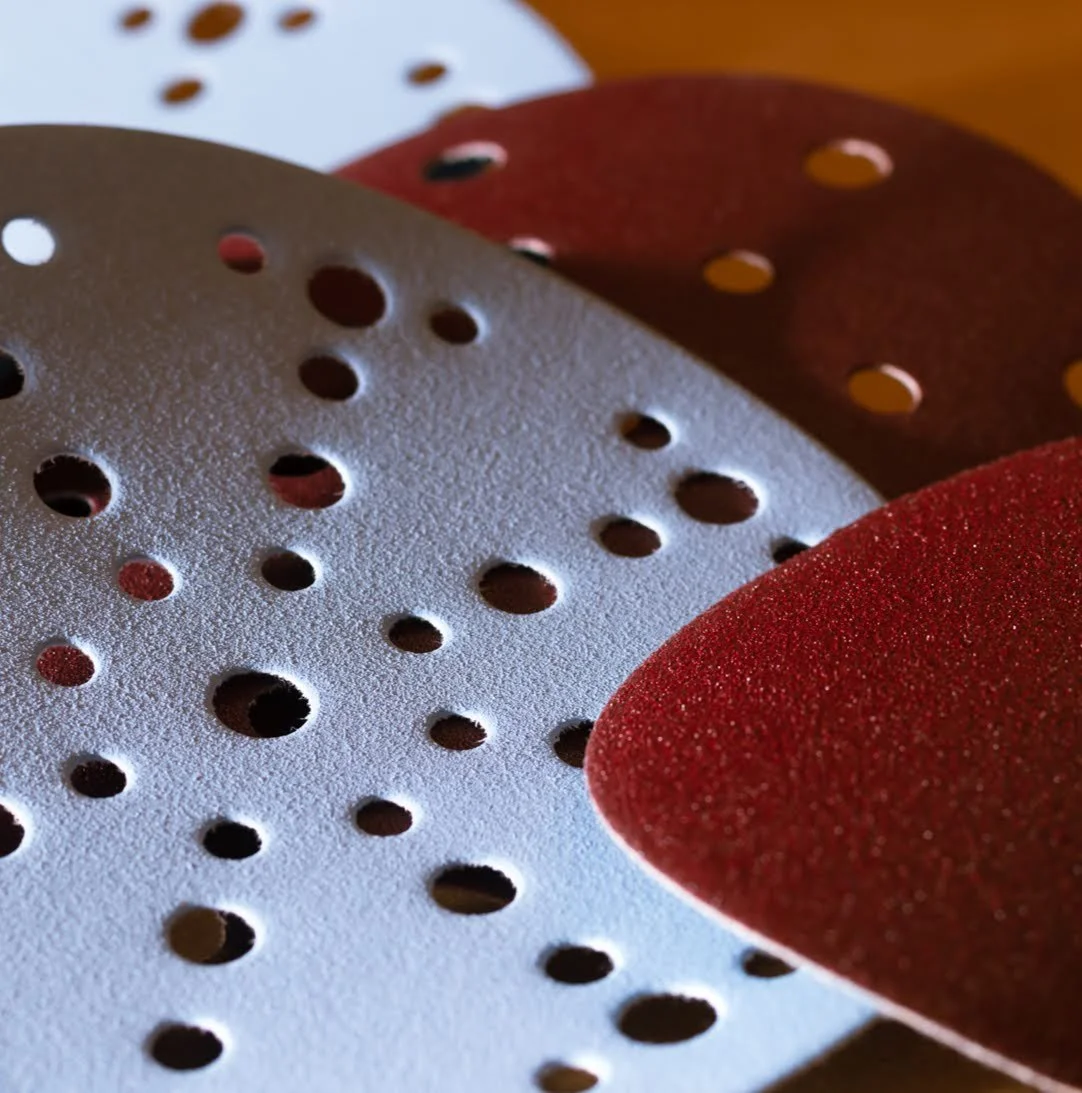
6" Festool Orbital Sanding Discs — Clean Cutting, Perfect Fit
These 6‑inch sanding discs fit Festool orbital sanders and use a multi‑hole pattern that keeps dust extraction efficient. The abrasive cuts cleanly, stays flat on the pad, and pairs with your ETS 150/5 workflow for smooth, controlled sanding on real woodworking surfaces.
Why This Matters
Orbital sanders can ruin a surface faster than they can fix it. If you don’t understand how the pad actually removes stock, you’ll create dips, waves, and uneven grain without realizing it. Knowing the professional workflow is the difference between a flat, clean surface and a repair job.
I’ve worked in both autobody and woodworking, and the two trades share one obsession: surface preparation. In autobody, any mistake in prep shows up instantly in the paint. That’s where I learned to be fussy — because if you weren’t, the car told on you. Woodworking is no different. The surface always reveals the truth.
I started sanding in the mid‑1980s, enrolled in autobody major in high school. We used big, clunky pneumatic orbital sanders — heavy metal bodies, chrome housings, loud, indestructible. No dust ports. No comfort features. Just raw production tools. They were incredible machines, but our instructor drilled one lesson into us:
“These sanders are for rough prep. Final sanding is done by hand.”
He was right. Those orbitals made the surface wavy, and on a car, that’s unacceptable. So after the rough work, we wet‑sanded by hand with rubber blocks and a bucket of water, up to 400 grit. That workflow taught me everything I needed to know about orbital sanders — and the same lessons apply in woodworking today.
Before we talk about technique, you need to understand what the pad is actually doing to the surface.
What You Need to Understand First
Why orbital sanders create wavy surfaces — the mechanics behind uneven stock removal.
How wood density affects sanding — earlywood, latewood, knots, compression grain.
What the pad is actually doing — vibration, rotation, orbit path, scratch pattern.
The real professional technique — the workflow pros use to keep surfaces flat.
How orbit size and pad size change results — 3 mm vs 5 mm, 5" vs 6".
Why dust extraction is essential — clean cutting, fewer scratches, flatter surfaces.
Why Orbital Sanders Leave a Scratch Pattern You Can’t See
Orbital sanders move in three motions at the same time:
a tight back‑and‑forth vibration
a circular rotation
plus a small orbit path (3 mm or 5 mm) created by an eccentric bearing under the pad
This combination creates a random scratch pattern. Unlike a finish sander — which vibrates in a straight line and leaves visible scratches — an orbital’s pattern is so chaotic you can’t see it with the naked eye. That’s why orbitals became the go‑to tool for fast prep.
But scratch pattern is only half the story.
The Real Issue: Uneven Stock Removal
This is the part most beginners never learn.
A spinning pad removes material faster at the edges than at the center. The outer edge travels farther per revolution, so it cuts more aggressively. That means:
the sander removes stock unevenly
the surface slowly becomes wavy
any tilt makes the problem worse
pressure differences exaggerate the effect
Back in autobody, we saw this constantly. Students tilted the sander, leaned too hard, or stayed too long in one spot. The result was a surface that looked flat but wasn’t — and paint revealed every flaw.
Wood is even more sensitive.
Why Wood Makes the Problem Worse
Wood isn’t uniform. It has:
spring growth rings (soft)
summer growth rings (hard)
knots (very hard)
compression wood (dense)
Red oak and Douglas fir are classic examples — the soft earlywood disappears faster than the hard latewood. When you combine that with the orbital’s uneven cutting pattern, the surface can go out of level quickly.
Jointers, planers, and drum sanders don’t have this problem. Orbitals do.
This doesn’t mean orbitals are bad — it means you need to understand what’s happening under the pad.
Common Mistakes
tilting the sander even slightly
leaning too hard on the tool
staying too long in one spot
sanding glue or finish with clogged paper
skipping grit progression
sanding without dust extraction
treating orbitals like leveling tools instead of refining tools
How Professionals Use Orbitals Without Ruining the Surface
Here’s the truth every pro learns:
Get the surface as perfect as possible before you touch the orbital.
The orbital is for refining, not leveling.
Professionals minimize orbital time because:
orbitals remove stock faster than you think
uneven pressure creates dips
edges burn through veneer
corners disappear instantly
dust under the pad creates scratches and waves
clogged paper cuts unevenly
If you’re sanding glue, paint, or stripper residue, change the paper immediately. Clogged paper is the fastest way to ruin a surface.
Dust Extraction Isn’t Optional
Dust extraction does three things:
Protects your lungs
Keeps the shop clean
Prevents dust buildup under the pad
That third point matters more than people realize. Dust trapped under the pad rolls into little balls and grinds into the surface, creating scratches and waves. A good extractor — Festool is the gold standard — keeps the pad cutting cleanly.
If you’re sanding door jambs or trim inside a house, dust extraction is the difference between a clean job and a disaster.
Pad Size: Why Pros Use 6-Inch Sanders
You can use a 5" pad. There’s nothing wrong with it.
But every professional shop I’ve ever worked in uses 6" orbitals because:
they stay flatter
they blend scratches better
they cover more area
they reduce tilt
they feel more stable
My old Porter‑Cable was a 5". It worked, but it buzzed and felt harsh. When I moved to Festool 6" orbitals, everything changed — smoother, quieter, cleaner, and far more controlled.
Orbit Size: 3 mm vs 5 mm
This is the “play” everyone talks about.
The orbit size is the diameter of the tiny circle the pad travels under the bearing assembly.
3 mm orbit
finer scratch pattern
slower cutting
better for finish sanding
5 mm orbit
faster stock removal
more aggressive
ideal for general woodworking
There’s no wrong choice. I use 5 mm orbitals because they match my workflow. But I get great results with 3 mm too.
The Real Professional Technique
Here’s how pros actually sand:
keep the pad perfectly level
let the sander do the work
move steadily, not fast
don’t lean on the tool
don’t stay in one spot
follow grit progression
stop as soon as the surface is ready
use dust extraction
change paper often
Orbital sanders seem like a no‑brainer — pull the trigger and go — but understanding what’s happening under the pad changes everything.
It’s not just about making a surface smooth. It’s about keeping it level, clean, and consistent.
Many woodworkers see wavy surfaces or grainy patches and wonder what went wrong.
Now you know.
Here’s the sander I use when I need clean, controlled orbital work.
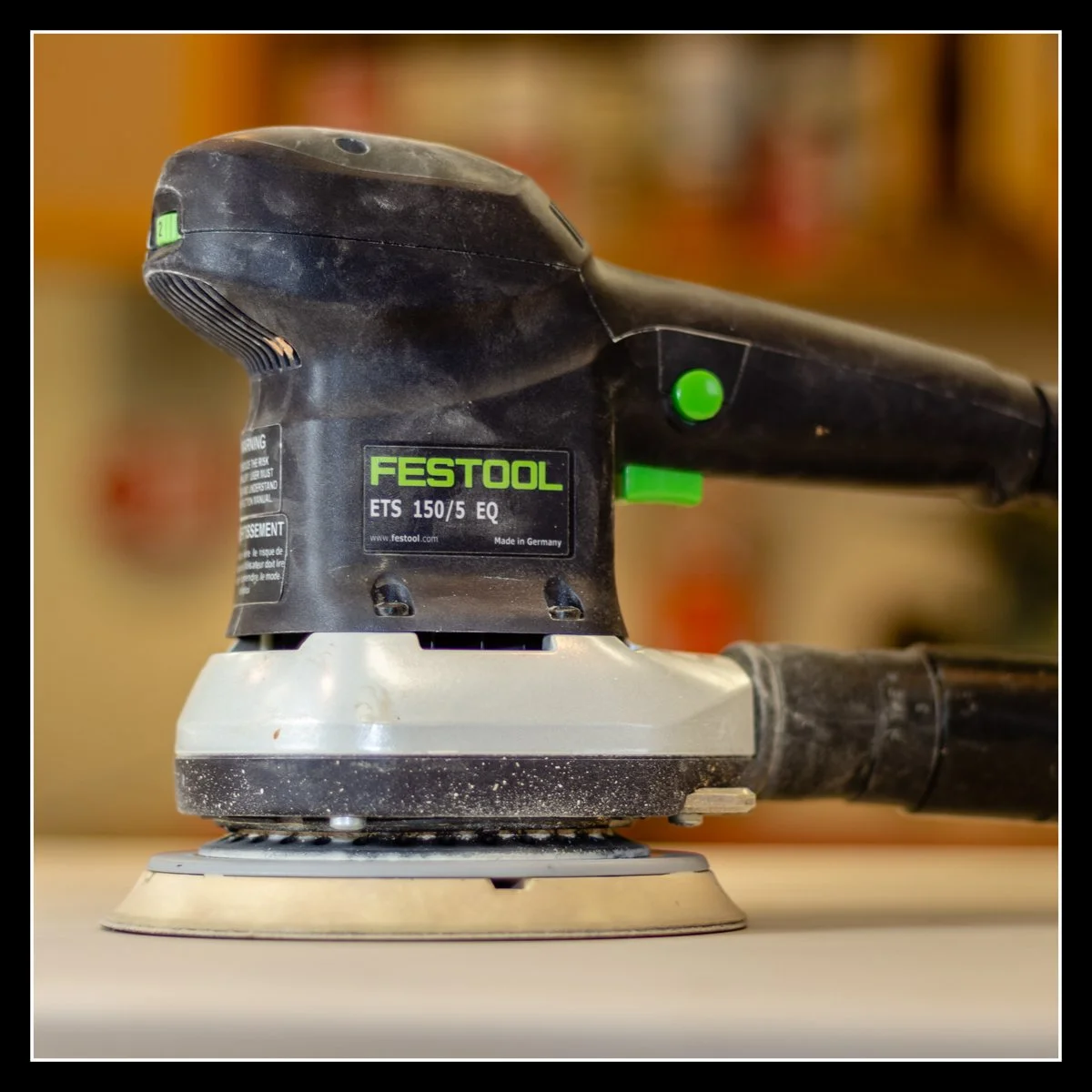
Festool ETS 150/5 — Dust Collection That Changes the Work
This is one of my Festool orbital sanders, the ETS 150/5, and its dust collection is outstanding. The sander stays planted, the pad stays clean, and the abrasive lasts longer because the airflow pulls dust away before it can clog. In real workflow, that means flatter surfaces, fewer sanding marks, and a shop that stays noticeably cleaner.
Together, gathered in one place so the machine stories, tool reflections, and workflow moments stay connected — easy to find and easy to return to.
SHARE
The Working Side of the Craft — Connected Through Machines, Tools & Stories
If you want the stories shaped by table saws, bandsaws, grinders, fences, and jigs — the honest, noisy side of woodworking — the Working Side Of The Craft is one click away.
If you’d like to hear from me only when something big is happening — a launch, a milestone, or a major project — you can join the mailing list below.
Written by David Flather, Red Seal cabinetmaker and founder of Knotty Dave’s Fine Woodworking — a Manitoba shop rooted in heritage restoration, storytelling, and real craft.
All photos shot by David Flather — in the shop, on the road, and in the places where craft and story meet.
Related stories:
Oscillating Belt Sander Review — The Small‑Shop Workhorse Every Woodworker Eventually Needs
Mitre Saw Accuracy: Why Jobsite Saws Cut Fast Instead of Perfect
Finishing Sanders vs Orbitals: The Mistake Almost Every Beginner Makes
Belt Sanders: Why They Dig, Gouge & Ruin Surfaces When Used Wrong
The Workshop Library
If you enjoyed this story, there’s lots more like it inside The Workshop Library — and it’s free to explore.
Wood Archive — species, grain, working properties, and real‑world craft notes
Behind the Grain — the deeper stories inside wood, craft, and heritage
The Working Side of the Craft — tools, shop life, workflow, and the realities of making
Digital to Sawdust — Design Studio — geometry, proportion, visual flow, and design thinking
The Stories of the Shop — the personal side of craft, the shop’s history, and the quiet moments that shape the work
House & Hearth — heritage home restoration, the hearth room, winter culture, and the lived‑in side of craft
I’m just one man with a shop, building this archive one story at a time. If you’d like to follow the journey as it unfolds, explore The Workshop Library — new stories every week.
